The Complete Guide to Automated Browser Testing
Comprehensive guide to automated browser testing: types, tools (Selenium, Playwright, Cypress), best practices, AI features, and scaling in CI/CD.
The Complete Guide to Automated Browser Testing
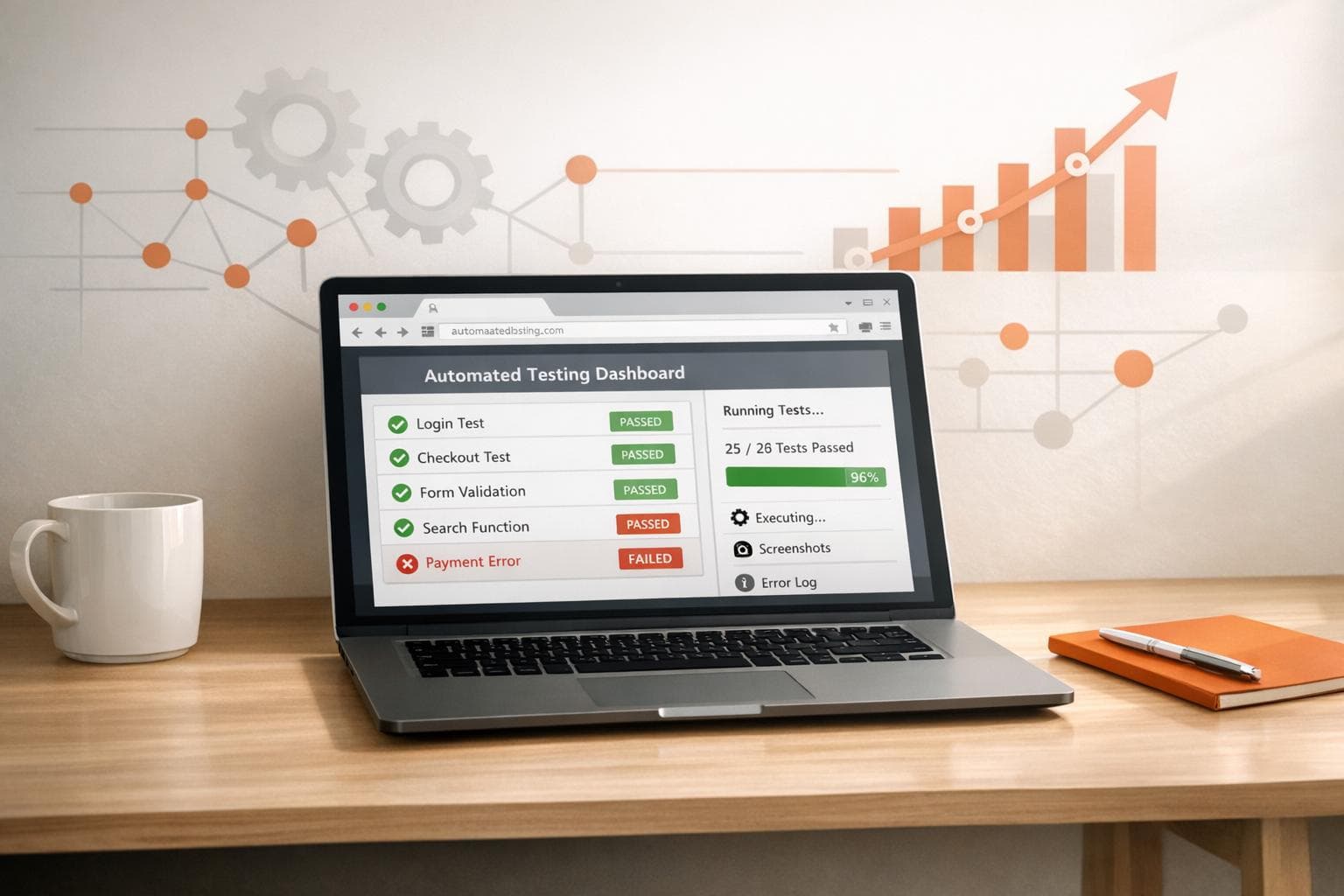
Automated browser testing helps ensure web applications work across different browsers, operating systems, and devices. It replaces repetitive manual tasks with scripts, saving time and reducing errors. This approach is crucial for checking key aspects like functionality, visual design, and performance. Tools like Selenium, Playwright, and Cypress are popular for these tasks, while AI-powered solutions are making testing smarter and more efficient.
Key points:
- Types of Testing: Functional, cross-browser, regression, visual.
- Core Practices: Use stable locators, isolate tests, and automate repetitive tasks.
- Tools: Selenium (legacy support), Playwright (modern apps), Cypress (frontend focus).
- AI in Testing: Self-healing scripts, visual intelligence, and automated edge-case handling.
- Best Practices: Prioritize critical workflows (e.g., login, checkout), integrate into CI/CD pipelines, and maintain test stability with auto-waiting and retry logic.
Automated browser testing is essential for delivering reliable web experiences, reducing testing time, and catching compatibility issues before users do.
Core Concepts of Automated Browser Testing
Types of Browser Testing
Functional testing ensures that features like forms, buttons, and navigation work as intended. It checks how well your application performs for end users by interacting with the visible interface. On the other hand, cross-browser testing guarantees consistency across different rendering engines, such as Chromium, WebKit, and Gecko, addressing quirks that may cause features to malfunction on certain browsers.
Regression testing is all about running repeated checks after updates to ensure new changes don’t interfere with existing functionality. It's especially useful in CI/CD pipelines, where early feedback is crucial. Smoke testing zeroes in on essential user flows like logging in, checking out, or searching. Meanwhile, visual regression testing focuses on maintaining the look and feel of layouts, fonts, and styles. This often involves screenshot comparisons to catch subtle differences that functional tests might overlook.
| Testing Type | Primary Purpose | Key Application |
|---|---|---|
| Functional | Feature validation | Forms, buttons, and user interactions |
| Cross-Browser | Environment consistency | Ensures behavior across browsers |
| Regression | Stability after changes | Works well in CI/CD pipelines |
| Visual | UI integrity | Maintains layouts, fonts, and styles |
When automating browser tests, focus on the browsers and devices most relevant to your audience instead of testing every possible combination. For visual tests, keep the operating system and browser versions consistent to avoid false positives caused by mismatched environments.
Now, let’s dive into the building blocks of automated testing.
Basic Components of Test Automation
Automated tests rely on locators to identify page elements. Modern frameworks prioritize user-friendly attributes like roles, visible text, and test IDs over fragile CSS or XPath selectors. Actions simulate user behaviors such as click(), fill(), or hover(). Most frameworks now include auto-waiting features, ensuring elements are ready before interactions take place.
Assertions confirm that the actual state matches what’s expected. "Web-first" assertions are particularly useful as they automatically retry checks until conditions are met, minimizing issues caused by timing delays. Test hooks - like setup and teardown routines - along with strategies for test isolation ensure that tests run independently, each with its own storage, cookies, and session data.
"Automated tests should verify that the application code works for the end users, and avoid relying on implementation details." - Playwright Documentation
For more reliable tests, use data attributes (e.g., data-testid) instead of dynamic CSS or XPath selectors. Also, keep tests atomic - each test should focus on verifying a single behavior and operate independently.
Common Architectural Patterns
To manage tests effectively, certain architectural patterns can make a big difference. The Page Object Model (POM) organizes UI locators and actions into reusable components, so updates to the UI only require changes in one place. The Screenplay pattern takes a modular approach, using "actors" and "tasks" to simplify the maintenance of complex test suites.
Data-driven testing separates input data from test scripts, making it easier to test multiple scenarios with different datasets without rewriting the automation logic. Parallel execution and sharding allow tests to run simultaneously across multiple machines or browser contexts, which is essential for covering large browser-device combinations efficiently.
To reduce test flakiness, use web-first assertions with retry logic. Additionally, leverage Network APIs to mock external responses, preventing outages from third-party services from disrupting your test suite.
Planning Your Browser Automation Strategy
Deciding What to Automate
Start by automating the workflows that matter most - those critical to user experience and business success. Think about processes like login, checkout, search, and account management. These are the core areas that directly affect revenue and user satisfaction. After that, focus on repetitive, time-consuming tasks such as data entry, handling OTP verifications, or running long-duration tests. Automating these frees up your team to focus on edge cases and usability challenges that automation can't easily detect.
Regression testing is another prime candidate for automation. These tests run after every code change to confirm that new updates don't disrupt existing functionality. And when choosing what to automate, target stable parts of your UI - areas that don't change often. Automating rapidly evolving components can lead to brittle tests that constantly break. Similarly, prioritize tests with clear pass/fail criteria and those that involve handling varied inputs, such as form submissions.
A solid automation strategy often mirrors the test pyramid: about 80% to 90% of your tests should be unit tests, followed by API and integration tests, with a smaller portion dedicated to UI and end-to-end tests. The tools you select should align with your organization's specific needs and constraints.
Once you've outlined your priorities, the next step is crafting tests that are both reliable and effective.
Writing Effective Automated Test Cases
Effective test cases are both focused and self-contained. Each one should verify a single aspect of functionality and run independently, without relying on the state left behind by previous tests. Concentrate on user-visible behaviors rather than internal implementation details like function names or CSS classes, which are more prone to change.
When designing your tests, use resilient locators. Attributes like roles, visible text, or dedicated data identifiers are more reliable than fragile selectors that can break when layouts shift. Ensure each test runs in isolation by setting up a fresh browser context with clean local storage, cookies, and session data. To improve reliability, leverage network APIs to mock external responses and incorporate web-first assertions with retry logic, as discussed earlier.
Building Test Cases for US User Flows
When automating for US-specific user flows, tailor your test data to reflect regional nuances. For example, address forms should handle both 5-digit ZIP codes (e.g., 90210) and ZIP+4 formats (e.g., 10001-1234). State-specific inputs are equally important since factors like shipping costs, tax calculations, and even product availability can vary by location.
Data-driven testing is invaluable here. Run the same checkout flow using datasets that represent different states. For instance, a customer in Delaware (with no sales tax) should see a different total than one in California, where the base sales tax rate is around 7.25%. Create realistic test personas to cover diverse geographic scenarios - a user in New York City, one in rural Montana, and another in suburban Texas. This ensures your tests trigger the correct logic for taxes, shipping, and compliance.
When testing phone number fields, include common formats like (555) 123-4567 or 555-123-4567. Validate date inputs using the MM/DD/YYYY format. And for applications that handle currency, ensure dollar amounts are formatted correctly: dollar signs should precede the value (e.g., $1,234.56), with proper thousand separators and decimal points. These details make your automation more accurate and aligned with US standards.
Playwright Automation Tutorial for Beginners from Scratch
sbb-itb-eb865bc
Tools and Frameworks for Browser Testing
Browser Testing Frameworks Comparison: Selenium vs Playwright vs Cypress
Comparing Popular Frameworks
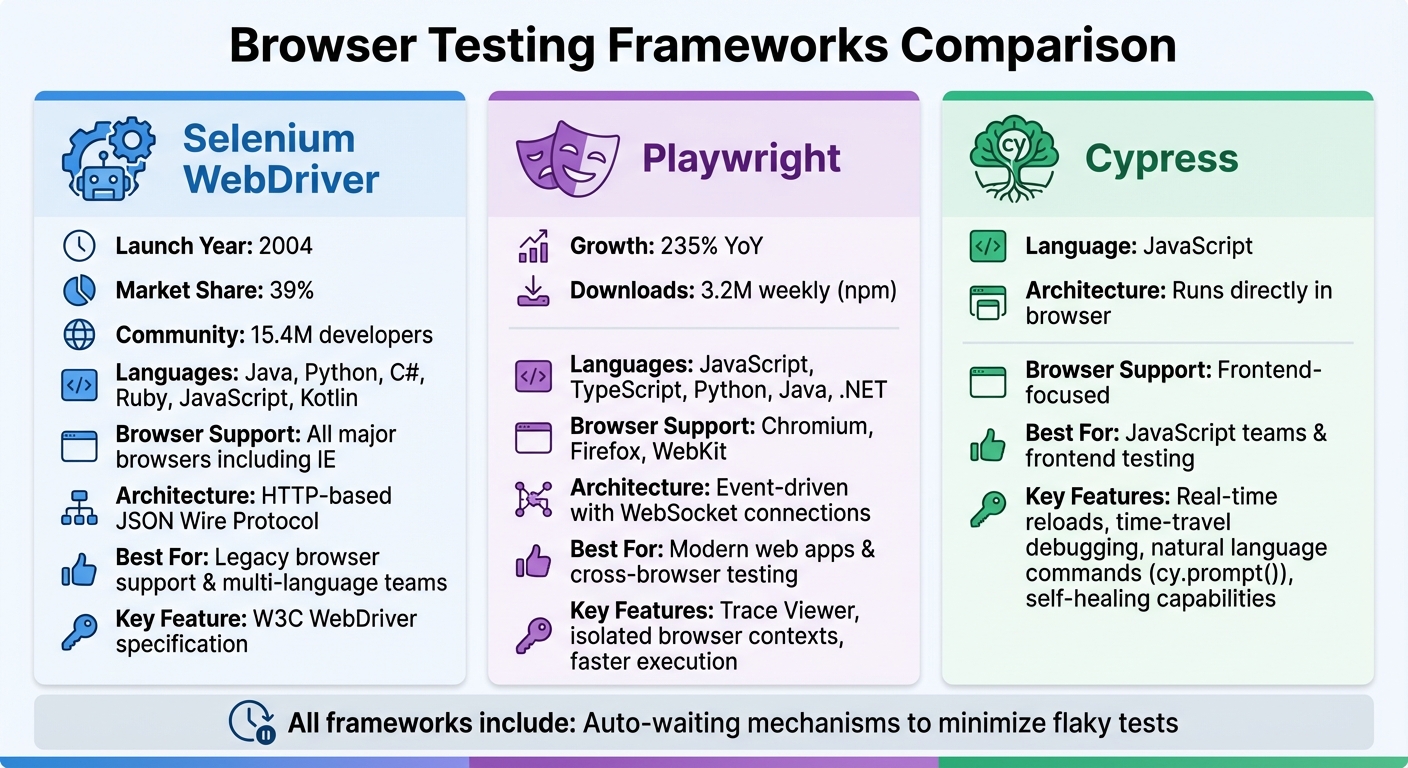
Selenium WebDriver has been a go-to choice since 2004, boasting a 39% market share and a community of over 15.4 million developers worldwide. It supports a wide range of programming languages - like Java, Python, C#, Ruby, JavaScript, and Kotlin - and works seamlessly across all major browsers, including older ones like Internet Explorer, thanks to the W3C WebDriver specification. The introduction of Selenium Manager streamlines driver and browser management by automating what used to be manual downloads.
Playwright, created by Microsoft, is quickly gaining traction, with a 235% year-over-year growth and over 3.2 million weekly npm downloads. It simplifies testing across Chromium, Firefox, and WebKit through a single API and supports JavaScript, TypeScript, Python, Java, and .NET. Unlike Selenium, Playwright uses an event-driven architecture with WebSocket connections, enabling faster communication compared to Selenium's HTTP-based JSON Wire Protocol. Each test runs in a new browser context, ensuring complete isolation. For debugging, its Trace Viewer captures everything from DOM snapshots to network requests and action logs, making it especially useful in CI environments.
Cypress takes a different approach by running tests directly within the browser, offering real-time reloads and time-travel debugging. Built on JavaScript, it's particularly effective for frontend testing, where a quick feedback loop is essential. Recent updates include natural language commands like cy.prompt() and self-healing capabilities, which reduce the time spent on test maintenance.
All these frameworks utilize auto-waiting to minimize flaky tests, ensuring more reliable results.
AI-Powered Automation with Rock Smith
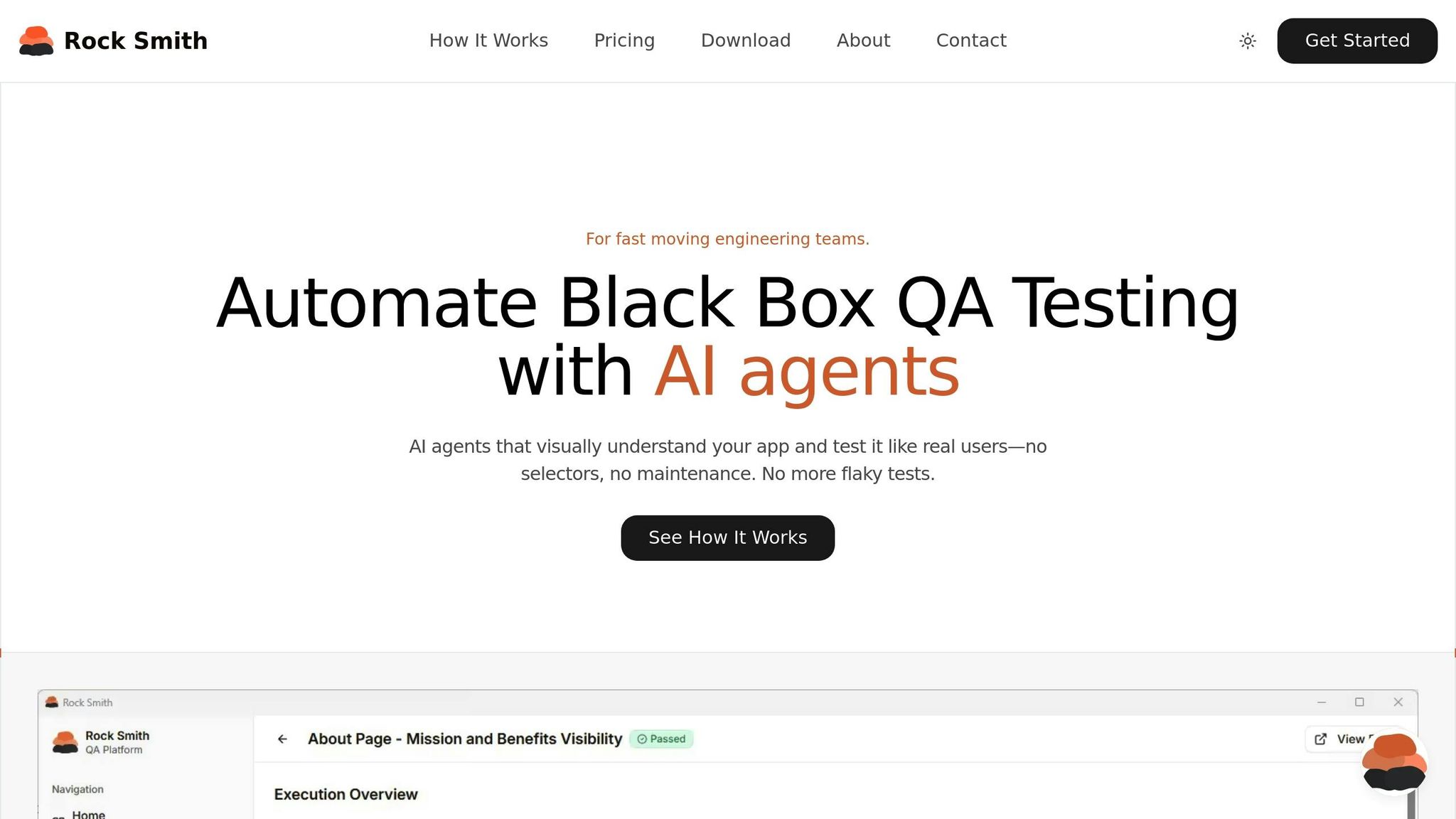
Beyond traditional frameworks, AI-driven tools like Rock Smith are changing the game with features like self-healing and visual intelligence.
Rock Smith uses visual intelligence to interpret plain-English descriptions (e.g., "the blue login button") into reliable selectors, allowing tests to adapt automatically to UI changes. This builds on advancements in auto-waiting and web-first assertions, making tests more resilient.
The tool also generates 14 different edge case tests automatically, covering scenarios like boundary value checks (e.g., MAX_INT + 1), SQL injection, XSS vulnerabilities, and Unicode compatibility. It allows you to configure test personas to mimic real user behavior. For instance, "Power Users" might navigate quickly using keyboard shortcuts, while "New Users" might explore the interface more slowly. By analyzing screenshots, the AI identifies buttons, forms, and modals visually. To maintain data security, all tests run locally via a desktop app, ensuring internal or staging environment data never leaves your machine.
With 81% of software development teams already incorporating AI tools into their testing workflows - and 55% of teams using open-source frameworks still spending over 20 hours a week on test creation and maintenance - Rock Smith offers a way to reduce maintenance headaches and automate edge case coverage without manual scripting.
Selecting the Right Tool
When choosing a browser testing framework, it’s important to match the tool with your team’s expertise and project requirements. If you need extensive legacy browser support and multi-language compatibility, Selenium’s well-established ecosystem is a solid choice. For modern web applications requiring fast execution and robust cross-browser coverage (including Safari/WebKit), Playwright stands out with advanced debugging tools and built-in parallelization. Teams focused on JavaScript and looking for minimal setup with instant visual feedback will likely find Cypress to be a great fit.
Infrastructure considerations are also key. Local grids can face hardware limitations, while cloud platforms offer scalable testing solutions. Look for features that simplify maintenance, such as auto-waiting, web-first assertions, and reliable locator strategies based on data attributes or user-facing text rather than fragile XPath selectors. AI-powered tools that include self-healing and intelligent test selection can significantly reduce build failures (by up to 40%) and speed up test cycles (by 50%). Lastly, prioritize browser and device combinations based on real user traffic data to ensure your tests align with actual usage patterns.
Implementing and Optimizing Browser Tests
Setting Up Your Testing Environment
For efficient browser testing, use a mix of local grids and cloud platforms. Local grids provide quick feedback during development, while cloud platforms offer broader, real-world coverage. This combination supports a smooth, AI-optimized testing workflow. To simplify test management, adopt the Page Object Model (POM). This approach separates UI locators from test logic, so updates only need to be made in one place. Integrating your tests into CI/CD workflows ensures they run automatically with every pull request. For efficiency, install only the necessary browser binaries in your CI environment - for instance, npx playwright install chromium - saving both disk space and download time.
Automate repetitive tasks like linting and transpiling using npm scripts. Each test should operate in its own isolated environment, with local storage, session storage, and cookies cleared to avoid cross-test interference. Playwright’s Browser Contexts handle this seamlessly, creating fresh environments in mere milliseconds. This isolation minimizes the risk of one test failure affecting the rest of your suite.
Once your environment is set up and tests are isolated, the next step is tackling flaky tests.
Fixing Flaky Tests and Improving Stability
Flaky tests can be a major headache, often caused by hard-coded timeouts like sleep(5000). Replace these with auto-waiting mechanisms that verify elements are visible and enabled before proceeding. Web-first assertions, such as await expect(locator).toBeVisible(), are particularly useful. These assertions automatically retry until the expected condition is met or the timeout expires, making them more reliable than immediate boolean checks.
Your choice of locators also plays a big role in stability. Avoid using fragile selectors tied to CSS classes (e.g., button.css-1x2y3) that can break with design updates. Instead, rely on user-facing attributes, such as getByRole('button', { name: 'Submit' }), or stable data-testid attributes that are less likely to change. To further reduce flakiness, mock third-party dependencies using Network APIs instead of relying on live servers.
When tests fail in CI, trace viewers provide more comprehensive insights than screenshots alone. These tools capture detailed execution traces, including DOM snapshots, network logs, and console output, allowing you to pinpoint failures with precision. Additionally, configure your test runner to flag tests that pass on retry, so you can address intermittent issues before they become bigger problems.
Scaling and Maintaining Your Test Suite
Once your tests are stable, focus on scaling and maintaining the suite. Start by adopting parallelization techniques. Use sharding to divide tests across multiple CI machines, enabling them to run simultaneously and significantly reducing overall test times. Configure your test runner for parallel execution - Playwright, for example, allows you to specify multiple workers in its playwright.config file to run tests concurrently on a single machine.
Speed things up further by using headless mode and API-driven setups in CI. These methods reduce resource consumption and accelerate test execution.
Keep in mind that end-user tests are resource-heavy. Wherever possible, use lightweight tests to conserve resources.
Regular maintenance is essential for a healthy test suite. Remove outdated tests, update your framework dependencies, and refactor repetitive code into reusable modules. Tools like ESLint can help catch issues early - rules like @typescript-eslint/no-floating-promises ensure no await keywords are missed, preventing potential race conditions.
Conclusion and Key Takeaways
Automated browser testing plays a key role in delivering dependable web applications by cutting down on errors and speeding up release timelines. For instance, one delivery manager shared how automation reduced their testing process from an entire day involving eight engineers to just one hour - a huge time-saver.
On top of these benefits, AI-powered tools take testing to a whole new level. These tools bring features like self-healing locators, the ability to predict which tests might fail based on recent code changes, and failure analysis that pinpoints root causes. Such advancements can reduce build failures by as much as 40% and speed up test cycles by 50%. Companies like Rock Smith are leveraging these AI-driven tools to simplify workflows, such as generating plain-English test flows, and to cut down on maintenance efforts.
To get the most out of automation, focus on critical user paths like login, checkout, and search. Make sure to integrate your tests into the CI/CD pipeline for immediate feedback after commits. Use stable, user-facing selectors instead of fragile CSS classes, run tests in isolation, and scale efficiently with parallel execution. These practices ensure your testing process remains robust and efficient.
FAQs
What are the benefits of using AI-powered tools for automated browser testing?
AI-powered tools revolutionize automated browser testing by making it more efficient and precise. For instance, self-healing locators can adjust to changes in an application’s UI, slashing maintenance time by about 60%. On top of that, AI-driven visual testing models excel at spotting actual bugs, boosting both the reliability and scope of testing.
These tools also simplify workflows by automating tedious tasks and offering smarter insights. This allows teams to dedicate more time to enhancing the user experience across various browsers and environments.
How do I choose the best browser testing framework for my project?
Selecting a browser testing framework is all about aligning it with your project’s unique requirements. Start by pinpointing the essentials: What programming languages does your team work with? Which browsers and devices need coverage? Are you focusing on end-to-end tests, unit tests, API tests, or a mix? Beyond these, think about practical considerations like ease of use, community support, integration with CI/CD pipelines, and how well the framework handles challenges such as flakiness or cross-browser compatibility.
Take Selenium, for instance - it’s a flexible option with robust language support and strong compatibility with legacy systems. On the other hand, Playwright stands out for its reliability, multi-browser capabilities, and support for modern applications. If your priority is quick feedback and an easy setup, Cypress delivers a developer-friendly experience, though it’s tailored specifically for web testing.
To ensure you’re making the right choice, try running a small proof-of-concept. Use a sample test case to assess factors like setup time, execution speed, and the stability of the tests. This hands-on evaluation will help you pick a framework that matches your team’s expertise and aligns with your long-term objectives.
How can I minimize flaky tests in automated browser testing?
To cut down on flaky tests, aim to make each test independent and consistent. Start by using stable selectors like text, roles, or data-test attributes. Avoid relying on fragile options like CSS classes or dynamic IDs that can easily change. Keep your tests focused on what the user actually sees and does, rather than diving into internal implementation details. For added reliability, ensure each test begins with a clean slate - reset the browser context, local storage, and cookies to avoid state-related issues.
Take advantage of automatic waiting and smart assertions to handle element readiness. Steer clear of hardcoded delays like sleep, which often lead to timing problems. If flakiness still occurs, consider enabling test retries. This allows failed tests to rerun in a clean environment, ensuring one failure doesn’t cascade into others. Pairing retries with dynamic wait strategies, such as waiting for network activity to settle, can further boost stability.
Lastly, implement a Page Object Model or a reusable component library. This approach centralizes locator definitions and interaction logic, making your tests easier to maintain and less prone to failures due to outdated selectors. By applying these techniques, you’ll see a noticeable improvement in the reliability of your automated browser tests.